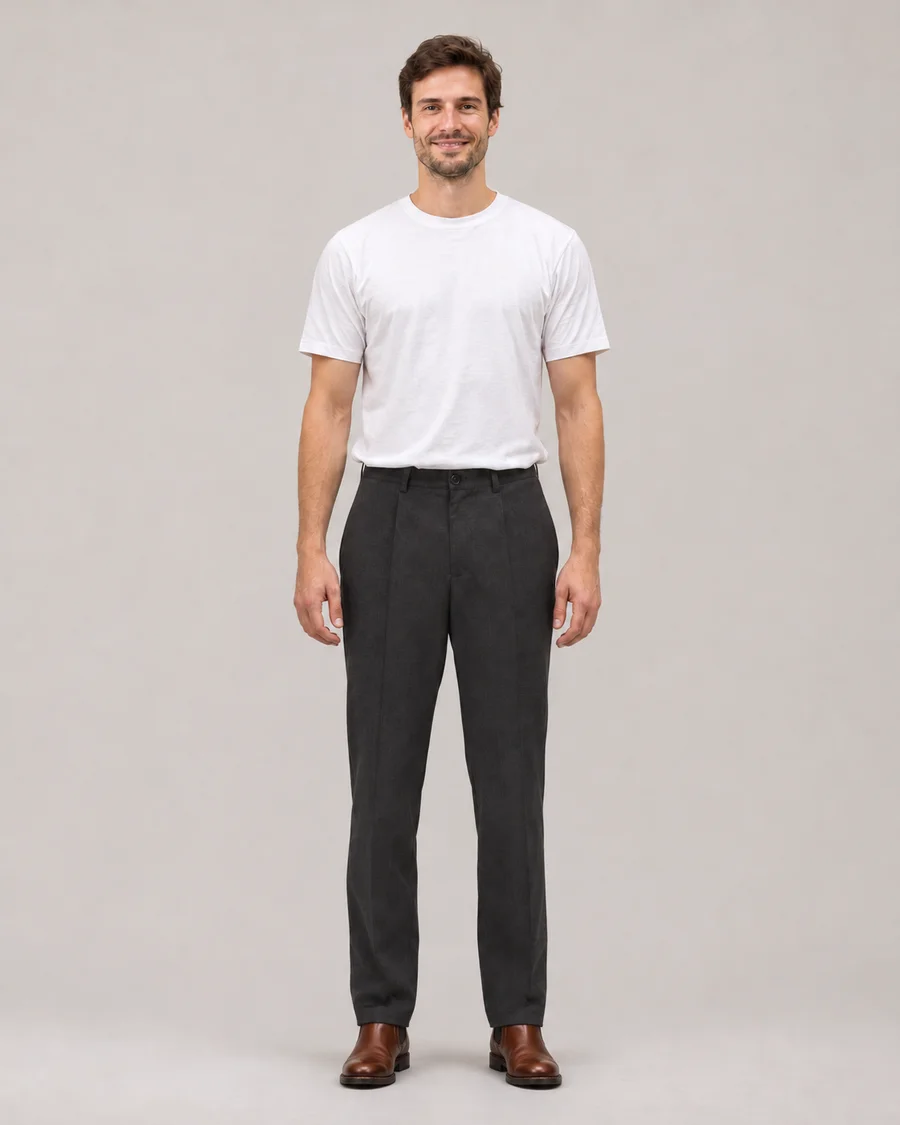
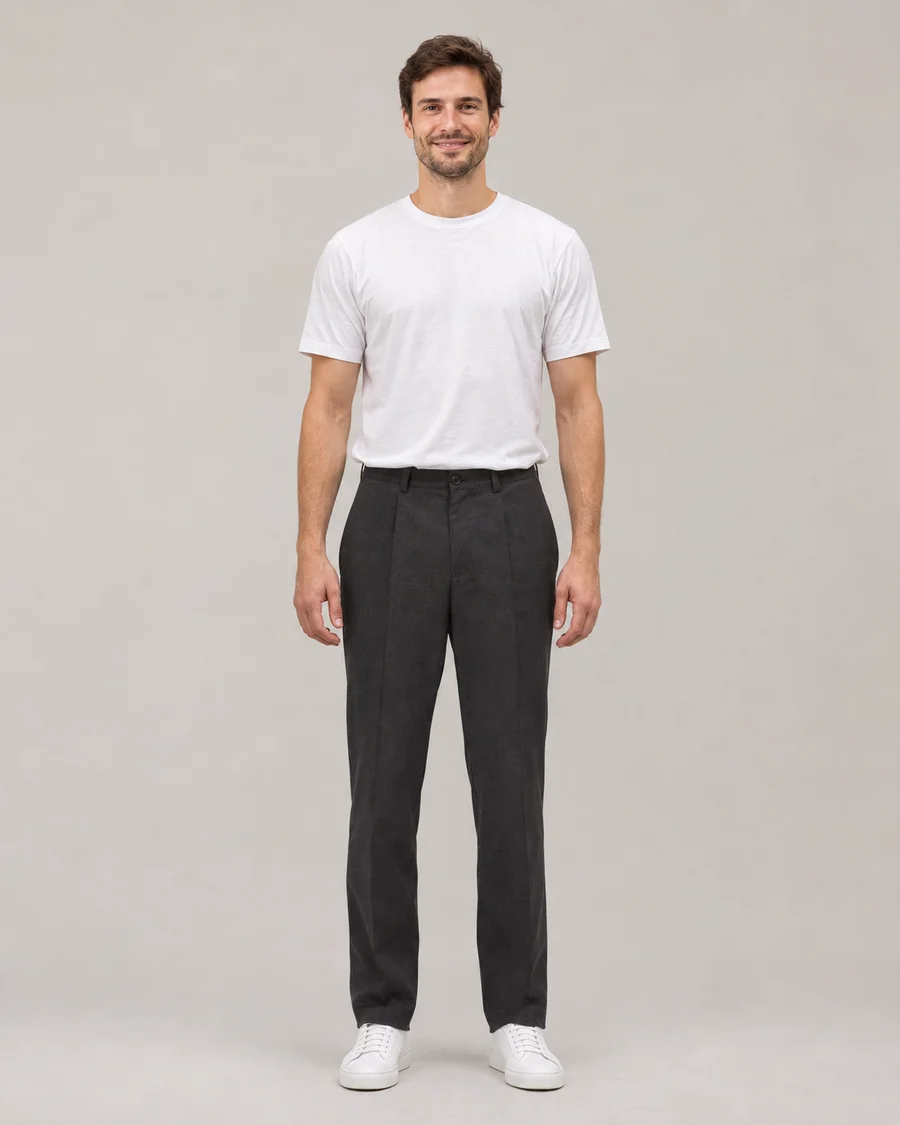
The complete look
↗See the change in the context of the whole portrait.
See how different footwear changes the foundation of an outfit. Upload a full-length adult portrait and a clear shoe reference to explore sneakers, loafers or boots in the context of your own photograph.
Sneakers to leather boots
Drag the slider to compare ↔AI-generated illustrative demo, not an output from this application or a guarantee of generation quality.
Start with a full-length photo that includes both feet, then upload a clear footwear reference. Compare the shoe shape, color and relationship to your trousers before saving.
Open the AI Shoes Changer tool ↗Use a clear product photo or a fully clothed adult wearing the item. We use the selected item’s design, color and details, while keeping your identity.
Two views of the same illustrative before-and-after pair.
Drag either slider to compare.
See the change in the context of the whole portrait.
Compare white sneakers with cognac ankle boots in the same standing pose.
AI-generated illustrative demo, not an output from this application or a guarantee of generation quality.
See how different footwear changes the foundation of an outfit. Upload a full-length adult portrait and a clear shoe reference to explore sneakers, loafers or boots in the context of your own photograph.
This is an imaginative footwear preview. It aims to preserve the person and scene while interpreting the selected shoes, but it cannot determine your shoe size, comfort or the performance of a physical product.
Footwear needs more room than a face or upper-body edit. Choose a full-length portrait that shows both shoes and some surrounding ground. A standing pose is generally easier to interpret than crossed legs or feet hidden under furniture. Avoid a photo where a long garment completely conceals the footwear. Good light around the ankles helps distinguish trouser hems from shoe uppers. The tool cannot reliably show a new pair of shoes if the relevant body area lies outside the original crop, so begin with an appropriately framed image.
The footwear photograph should communicate the upper, sole, shape and main color clearly. A side or three-quarter product view can reveal more than a distant image of someone standing in a crowd. If you use a worn reference, it must show a fully clothed consenting adult and be an image you have permission to use. Keep the intended pair obvious rather than uploading a collage of several designs. Fine logos, stitching and laces can vary in the generated picture, even when the overall direction is recognizable.
Shoes do not appear in isolation inside a portrait. The hem length, leg position and ground perspective affect how the result looks. Keep Shoes as the only category when you want to compare footwear against your existing clothes. For a different trouser shape, use Pants. For a complete clothing direction, use Outfit with the appropriate reference and optionally choose a photographed haircut with its hair switch. Outfit with or without hair follows the same image credit cost. Your portrait should remain the guide for body proportions and pose; the tool is not intended to change leg shape or alter the person’s anatomy.
Use the slider around each ankle, shoe edge and ground shadow. Check whether the feet seem to point in the same direction as the original pose and whether the sole sits plausibly on the surface. AI can make mistakes around laces, overlapping hems and small details. A preview may help you decide which style mood to explore, but it cannot confirm real fit, sizing, comfort or suitability for an activity. Keep the original photo for further comparisons and download only the interpretations you want to save or share.
A cropped face or upper-body selfie does not contain the feet. Use a full-length image with both feet visible so the model has the body area and perspective needed for a footwear preview.
No. The image does not measure your feet, assess comfort or determine a manufacturer’s sizing. Consult real product measurements and fit information separately.
Yes. Select only Shoes if you want the clothing to stay familiar. Use Pants for a separate trouser change, or Outfit for a broader clothing direction.
They may not. AI can reinterpret fine markings, stitching and lace patterns. Use the result to explore overall shape and color, not as an exact image of a branded product.
Ground contact helps footwear look connected to the original scene. An inconsistent shadow or a floating sole can make a result unconvincing, so compare that area carefully before sharing.
First create a 10-credit still. A separate turnaround GIF costs 30 credits. Unseen shoe angles and movement are inferred, and failed generation reservations are returned automatically.