The complete look
↗See the change in the context of the whole portrait.
Explore how a different bag changes an outfit without arranging a new photo shoot. Add your adult portrait and a reference showing the bag, then create an accessory preview you can compare with the original image.
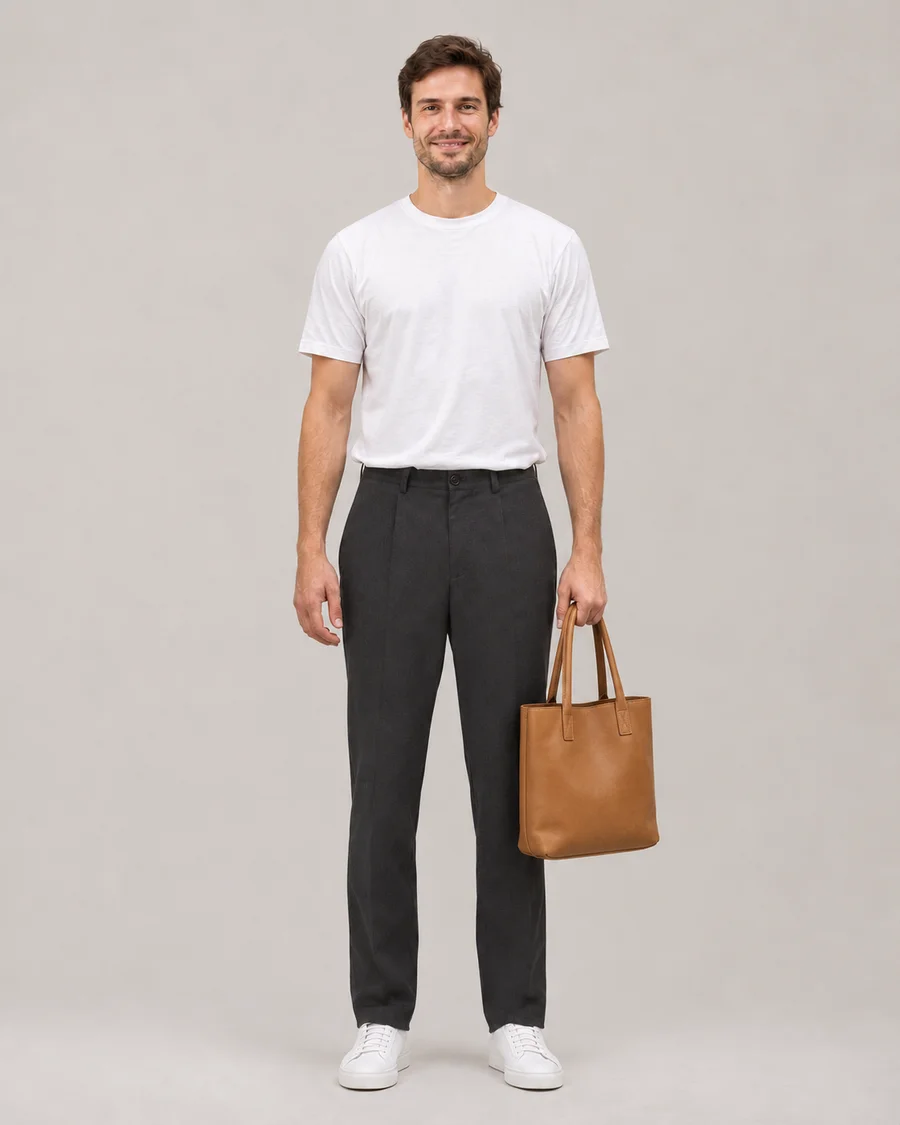
One bag. A different mood.
Drag the slider to compare ↔AI-generated illustrative demo, not an output from this application or a guarantee of generation quality.
Use a bag reference with visible straps, shape and material, and leave room beside your torso in the portrait. Check the handle and strap placement when comparing the result.
Open the AI Bag Changer tool ↗Use a clear product photo or a fully clothed adult wearing the item. We use the selected item’s design, color and details, while keeping your identity.
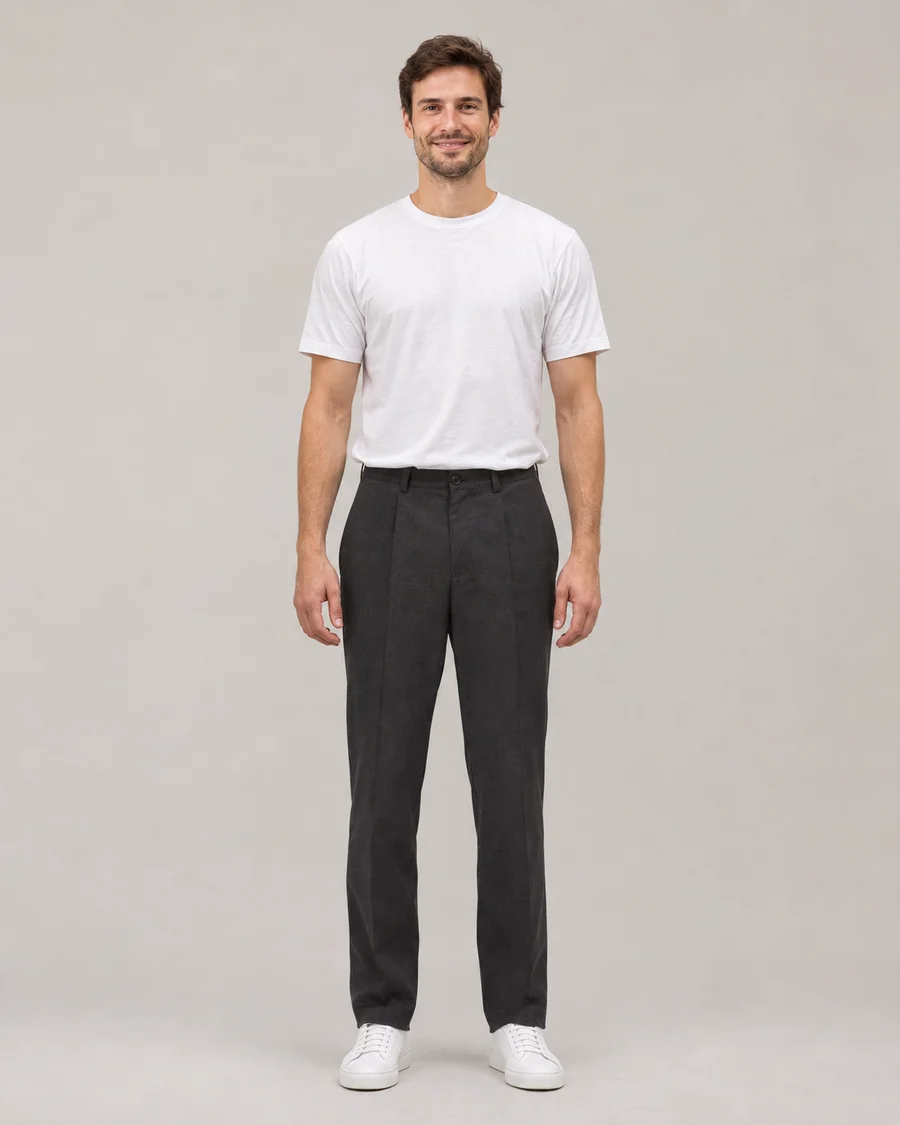
Two views of the same illustrative before-and-after pair.
Drag either slider to compare.
See the change in the context of the whole portrait.
A tan leather tote adds an accessory to a simple everyday look.
AI-generated illustrative demo, not an output from this application or a guarantee of generation quality.
Explore how a different bag changes an outfit without arranging a new photo shoot. Add your adult portrait and a reference showing the bag, then create an accessory preview you can compare with the original image.
The reference communicates the bag’s silhouette, color, material and strap. The result is personal style inspiration, rather than a guarantee of real capacity, product dimensions or an exact replica of a retail design.
Choose an upper-body or full-length photograph with some space around your torso and arms. A tightly cropped face cannot show where a shoulder bag or tote would sit. If your arm is pressed against the body or hidden behind furniture, the model may struggle to place a handle naturally. Start with a relaxed standing pose and clear lighting. Your existing outfit helps provide context, so keep it visible when you want to judge whether a bag’s size and color work with the rest of the look.
A useful reference makes the main shape and carrying method easy to see. A small crossbody, a structured tote and a soft shoulder bag need different placement. Avoid a product collage where handles overlap or where the intended item is only a tiny part of the frame. A product-only image can work, as can a fully clothed adult wearing the accessory with permission. Fine hardware, monograms and lettering may be simplified or changed, so treat the picture as an interpretation of the design rather than an exact product photograph.
Bag is the starting category for this page. Keep it as the only selected change if you want a focused comparison. For a complete styling idea, switch to Outfit with a reference showing that clothing direction. Its Also change hairstyle switch lets you add a photographed haircut without another upload. For a focused pants or shoes comparison, use the corresponding tab. There is no separate multi-category checklist to configure. Your own portrait remains the source for the person, while the reference supplies the selected accessory and clothing direction.
Move the comparison slider across the shoulder, hand and waist as well as the bag itself. Check that a strap sits in a plausible position and does not merge awkwardly with hair or fingers. Reflective hardware and long handles can be difficult to reconstruct. A visually appealing result can help you explore a direction, but it cannot establish a bag’s real weight, comfort, dimensions or capacity. Download an approved image privately and share the saved file only if you want to; it is not added to a public gallery automatically.
Yes. The bag reference should show the intended carrying style and strap. Use a portrait with enough of your torso visible to give a crossbody or shoulder strap a plausible route.
No. The result interprets appearance in a photograph. It does not calculate internal space, physical dimensions, weight or how comfortable a bag will feel when carried.
Those boundaries connect the new accessory to the original pose. AI can create misplaced handles, merged fingers or an awkward strap, so inspect them carefully before keeping or sharing a result.
The studio currently uses your portrait plus one clothing or accessory reference upload. For a complete clothing direction use Outfit, whose optional hair switch adds a photographed haircut to the same image.
An account gets 10 daily credits with no card required. A bag still uses 10 credits and free outputs include a watermark. Daily credits reset at midnight UTC without carrying forward.
Yes. Uploaded images and generated results must pass adult-content and minor screening. Use only fully clothed consenting adults. If screening is unavailable or uncertain, the image is not released.