The complete look
↗See the change in the context of the whole portrait.
Explore a different trouser shape in a photo you already know. Add your adult portrait and a reference of the pants you want to try, then compare the new silhouette against your original clothing.
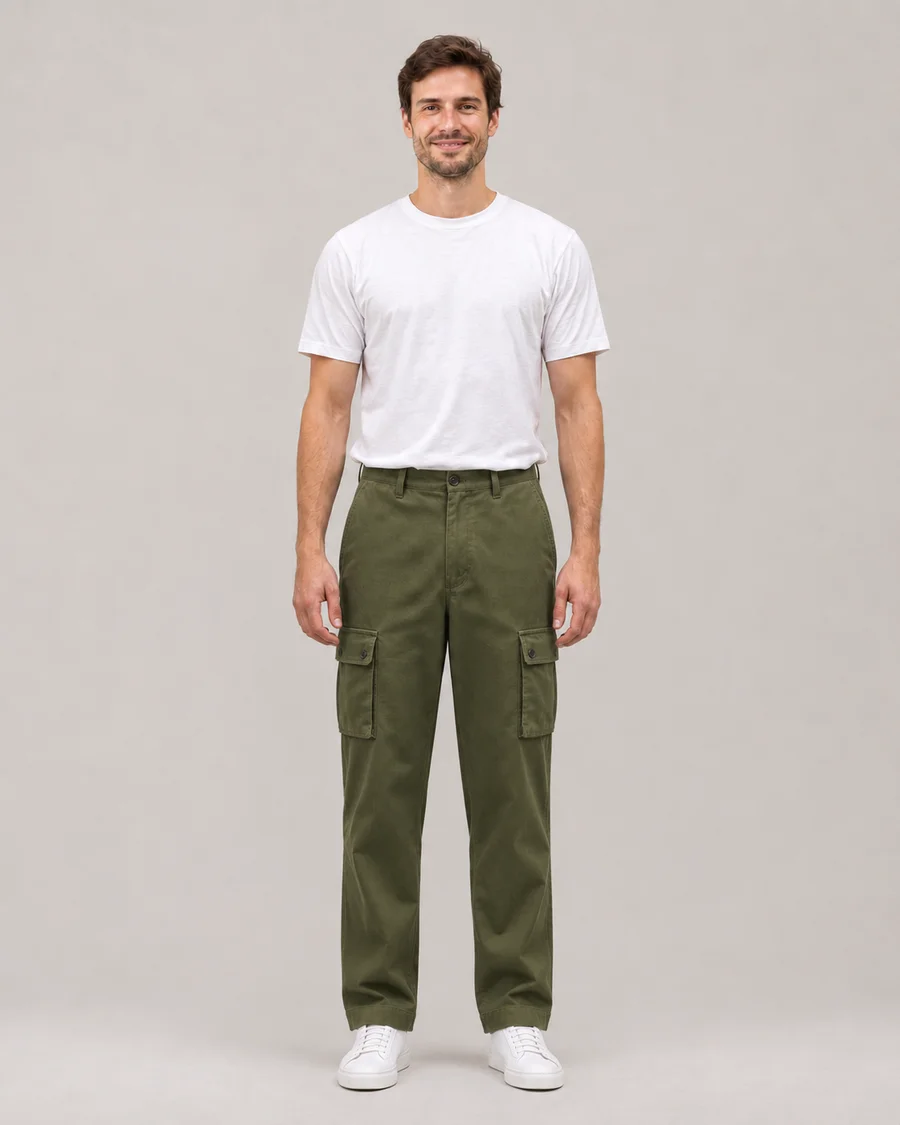
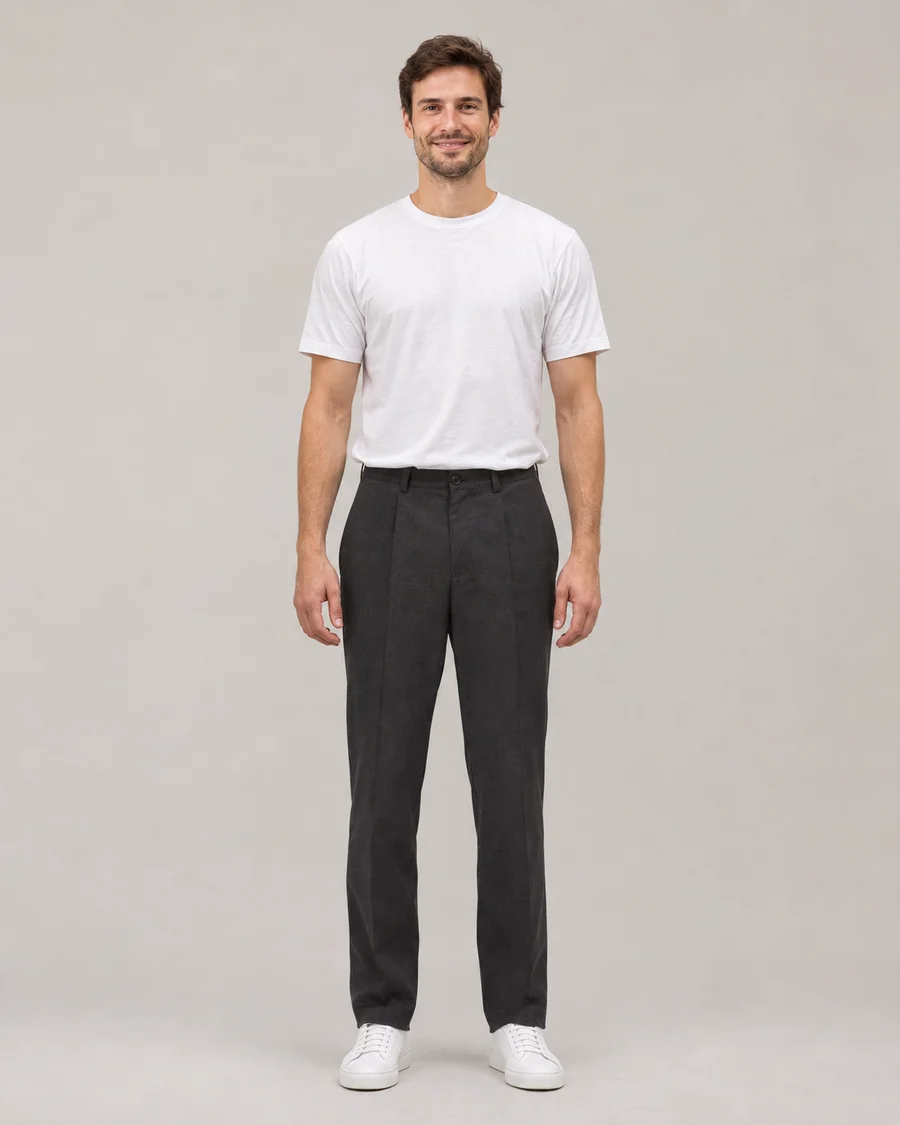
Tailored to relaxed
Drag the slider to compare ↔AI-generated illustrative demo, not an output from this application or a guarantee of generation quality.
Keep your waist, legs and hems visible and upload the pants you want to try. A straight pose helps you compare wide-leg shapes, casual denim or a more tailored direction.
Open the AI Pants Changer tool ↗Use a clear product photo or a fully clothed adult wearing the item. We use the selected item’s design, color and details, while keeping your identity.
Two views of the same illustrative before-and-after pair.
Drag either slider to compare.
See the change in the context of the whole portrait.
Charcoal trousers become olive cargo pants while the top and shoes stay familiar.
AI-generated illustrative demo, not an output from this application or a guarantee of generation quality.
Explore a different trouser shape in a photo you already know. Add your adult portrait and a reference of the pants you want to try, then compare the new silhouette against your original clothing.
The reference supplies the clothing direction, from relaxed denim to wide-leg trousers. The result is personal styling inspiration rather than a body measurement, tailoring plan or promise of how fabric will fit in real life.
Use a full-length photograph that makes the lower half of the outfit easy to see. Your waist, leg position and trouser hems provide context for the change. A long coat, a table or a bag held across the body can hide those details. Start with a relaxed standing pose and even lighting rather than tightly crossed legs or a complicated seated position. A little space around the outline of the trousers makes it easier to compare a wider or narrower clothing silhouette without changing the natural proportions of the person.
A good pants reference shows the waistband, overall leg shape and fabric color. A product-only photograph can work, or you can use an image of a fully clothed consenting adult with permission. Avoid a folded item that hides the silhouette or a multi-product collage where several pairs overlap. Pleats, pockets, distressed details and stitching may be interpreted imperfectly by AI. The reference describes clothing to apply; it should not instruct the model to copy another person’s body, face or pose into your photograph.
Pants is selected automatically on this dedicated page. Leave it as the only category to compare a new trouser direction with your existing top and footwear. Use Shoes or Bag for focused accessory experiments. To explore a complete clothing direction, switch to Outfit with a suitable reference and optionally enable its photographed hairstyle selection. The request should preserve the person’s natural anatomy and background. A different garment can alter the apparent clothing outline, but body reshaping and intimate alterations are not supported features. Keep every uploaded person fully clothed and confirm adult-only use.
After generation, move the slider around the waist, pockets, hands, knees and hems. Inspect how the trousers meet your top and shoes, and whether seams or fabric folds seem plausible for the original stance. AI does not know the garment’s physical measurements or how its fabric will actually stretch and drape. Use the preview to discover an appealing direction rather than select a real retail size. Keep a favorite privately, compare another reference from the original portrait, or download a file you choose to share.
Yes. Upload a reference that clearly shows the clothing silhouette and material direction. The model interprets the selected trousers on your portrait, though precise stitching and texture can vary.
The request is intended to change clothing while preserving natural body proportions. Body reshaping is not supported. A garment’s outline may look different because its cut and volume differ from the original clothes.
It may be harder to interpret when fabric overlaps or furniture hides the legs. A clear standing full-length photo usually offers a more readable starting point for waist, leg and hem placement.
The studio accepts one clothing reference in addition to your portrait. Shoes has its own tab for a focused footwear change. Outfit can interpret a complete clothing reference, with an optional photographed haircut.
No. It does not calculate physical measurements or a retail size. Check actual garment dimensions separately and use the image only as a visual style experiment.
The credit reservation is returned when the provider reports failure or the result fails safety screening. Retrying the same request does not charge twice. Credits that have reached their scheduled expiry cannot carry into a new period.